TFT Unlock Tool 2025 v6.2.1.1 Free Download – All Version Update Fixed
| Views: 14 | ||
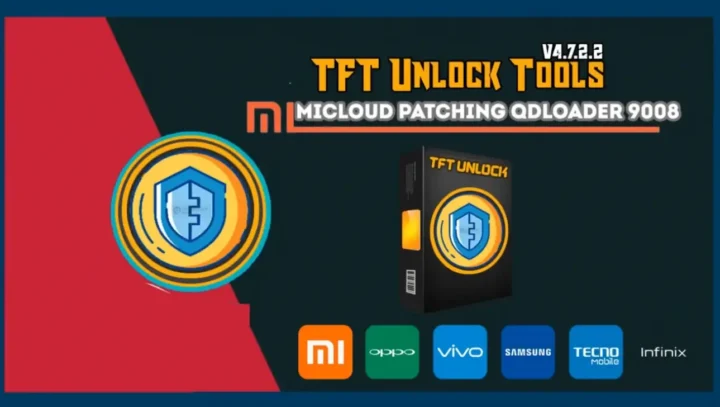
Download TFT Unlock Tool 2025 v6.2.1.1 for free. Features Auto Update fix, Samsung FRP reset (MTP/EDL), and Xiaomi Mi Cloud bypass. Supports Windows 7-11.
TFT Unlock Tool 2025 v6.2.1.1: Comprehensive Mobile Unlocking Solution
TFT Unlock Tool 2025 v6.2.1.1 is the latest iteration of the popular mobile repair utility, offering a robust suite of features for technicians and enthusiasts. This update fixes previous “All Version Update” errors and provides stable, free access to advanced functions for Samsung, Xiaomi, Huawei, OPPO, Vivo, and Apple devices.
File Details & Download Info
Below are the technical specifications and download details for the tool.
| Attribute | Details |
| File Name: | TFT Unlock Tool 2025 – Version 6.2.1.1.zip |
| Tool Version: | v6.2.1.1 (2025 Update) |
| Developer: | IQ-Team |
| File Size: | 255 MB |
| Status: | 100% Tested & Fixed |
| Compatible OS: | Windows 7, 8, 10, 11 (32-bit & 64-bit) |
| Password: | TFT |
| License: | Freeware (No Activation/Credit Required) |
Key Features by Brand
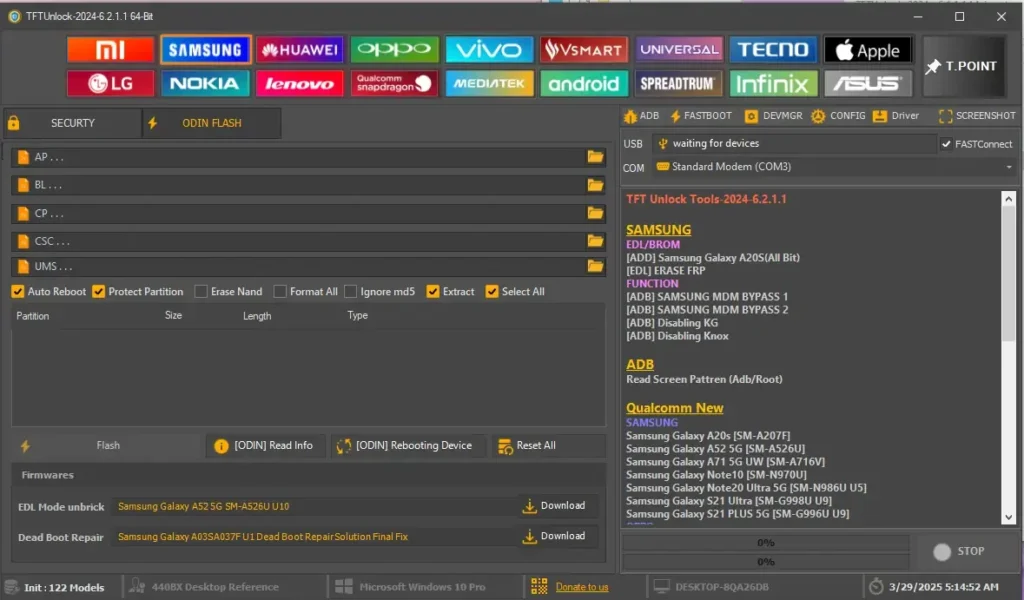
Samsung Operations
- FRP Removal: Supports MTP (Browser), ADB, and EDL modes. Includes “Erase FRP 2023/2024” methods.
- Odin Flash: Full firmware flashing capability (AP, BL, CP, CSC).
- Security: Knox disable, MDM bypass, and bootloader lock/unlock.
- Special Fixes: SPD A03/A03 Core Factory Reset + FRP, Dead Boot Repair.
- USA Models: Enhanced support for USA carrier variants.
Xiaomi Features
- Mi Cloud: Bypass or remove Mi Cloud account (Anti-Relock).
- Bootloader: Unlock/Relock bootloader instantly.
- Modes: Supports BROM, EDL (9008), Fastboot, and Sideload modes.
- FRP: One-click FRP reset for MIUI 12/13/14.
OPPO, Vivo & Realme (MTK/Qualcomm)
- Auth Bypass: Disable MediaTek authentication for flashing/reset.
- Userdata: Safe Format (Keep Data) and Factory Reset.
- FRP: New 2024/2025 methods for removing Google Lock.
- Demo Removal: Remove retail demo mode from OPPO/Vivo devices.
Apple (iOS)
- iCloud: Untethered Bypass options.
- Diagnostic: Read HW info, Serial management, WiFi/BT control.
- DFU Mode: Advanced DFU operations for Hello Screen bypass.
Installation Guide
Follow these steps strictly to ensure the tool works correctly without errors.
- Download: Get the ZIP file from the link above.
- Disable Antivirus: Turn off Windows Defender Real-time Protection and any other antivirus (Essential step).
- Extract: Unzip the file. When prompted, use the password TFT.
- Install: Run
TFTUnlock-2024-v6.2.1.1.exeas Administrator. - Setup: Use the password TFT again during the installation wizard.
- Launch: Open the tool from the desktop shortcut. Click “Login” (No username/password needed).
Note: This tool is an educational resource provided by IQ-Team. Always ensure you have permission to unlock or modify any device you are working on.