TFT MTK Module v6.1.1 Premium Download: Samsung & Xiaomi FRP Unlock
| Views: 13 | Basic | |
Download TFT MTK Module v6.1.1 Premium. Features Samsung One-Click FRP (No Test Point), Xiaomi Bootloader Unlock, and safe data formatting for Oppo/Realme.
TFT MTK Module v6.1.1 Premium: Advanced MediaTek Servicing Solution
The TFT MTK Module v6.1.1 Premium is a comprehensive utility designed for professional mobile technicians. It offers powerful unlocking, repairing, and maintenance features for MediaTek-based devices from major brands like Samsung, Xiaomi, Oppo, Realme, Infinix, and Tecno. This update brings critical bug fixes and support for the latest chipsets.
File Details & Download
Below are the technical details for this version of the tool.
| Tool Name: | TFT MTK Module |
| Version: | v6.1.1 Premium |
| Developer: | TFT Team |
| Key Feature: | Samsung No Test Point FRP, IMEI Repair |
| Chipset Support: | MediaTek (MTK) & Dimensity |
| License: | Freeware (Premium Version) |
Key Features of v6.1.1 Premium
1. Samsung MTK Specialized Support
A standout feature is the ability to handle Samsung MediaTek devices without opening the phone.
- No Test Point FRP: One-click FRP reset for A10s, A03s, A12, A31, A32, A02.
- BROM Operations: Crash to BROM or Boot to BROM methods.
- Security Reset: KG Reset and MDM Removal.
- Backup: IMEI backup and restoration.
2. Security & Unlock Operations
- Safe Format: Reset PassCode while keeping user data (Method 1 & 2).
- Bootloader: Permanent Unlock, Relock, and Direct Unlock in Boot Mode.
- Auth Bypass: Bypass SLA/DA authentication on secured chips.
- RPMB: Erase and manage RPMB partitions.
3. Brand-Specific Features
- Xiaomi/Redmi: Mi Account removal (TWRP/Erase), Anti-relock protection, Support for Poco M4 Pro & Mi 11 Series.
- Oppo/Realme/Vivo: Demo Mode removal, “Download Incomplete” error fix, Unknown Baseband repair.
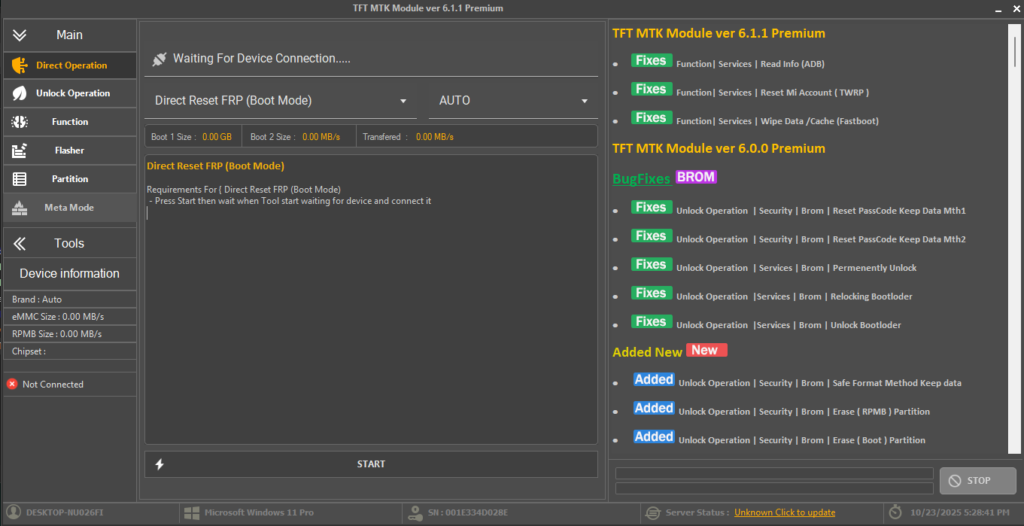
Newly Added Device Support
Version 6.1.1 extends compatibility to several new models from Infinix and Tecno.
Infinix
- Note 11S (X698), Note 11 Pro (X697)
- Hot 10S (X689B), Hot 10T (X689C)
- Hot 11 (X662/X662B), S5 Lite (X652B)
Tecno
- Camon 18 (CH9), Camon 18P (CH7), Camon 17 (CG6)
- Pova 2 (LE7), Pova Neo
- Spark 8 Pro (KG8), Spark 8T (KG6P), Spark 7P (KF7J)
How to Use TFT MTK Module
- Installation: Download and install the tool. Ensure MTK USB Drivers are installed on your PC.
- Launch: Open TFT MTK Module v6.1.1.exe as Administrator.
- Select Operation:
- For Samsung FRP: Go to the Samsung tab, select your model (e.g., A12), and click “Reset FRP”. Connect the device in BROM mode (Vol Up + Down + USB).
- For General Unlock: Use the “Direct Unlock” or “Auth Bypass” tabs for other MTK devices.
- Execute: Click Start and wait for the process to complete.